

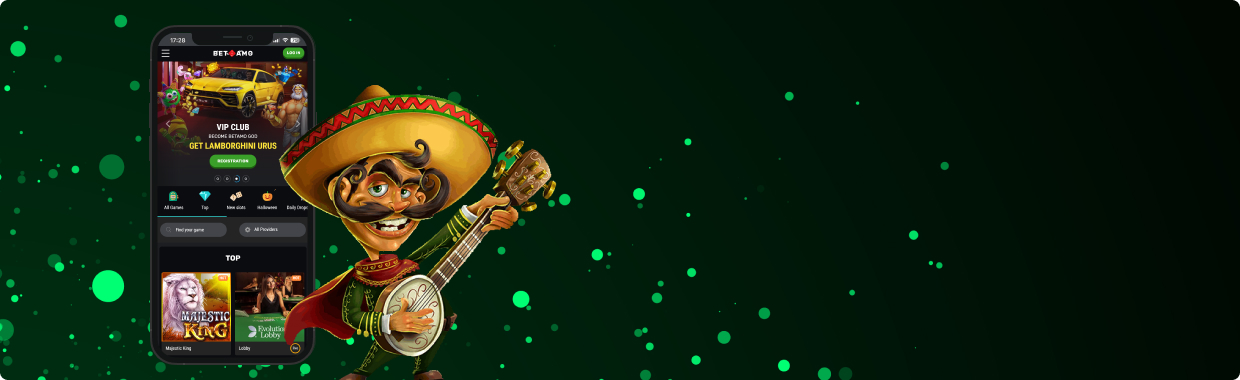
BetAmo App
Sign upYou can’t escape traffic, long lines, or a Zoom meeting you don’t really want to be in. But you can make it a tad more tolerable with BetAmo. The site has officially launched a BetAmo app, and it’s designed to make wait times more bearable and boring breaks better.
The BetAmo app is fast, clean, and glitch- and crash-free. You can use the same login credentials you have on the PC site and get access to the same games. On top of that, the BetAmo app also lets you use CAD.
It contains a plethora of the same features you’re sure to enjoy. You can learn more about the BetAmo app, including how to install it, right here.
Mobile BetAmo App for iOS
If you’re an iPhone user, don’t even try to find the BetAmo app on the App Store. Instead, they went with the PWA route. The Progressive Web App looks like the site, feels like the site, even though it functions like an app. It’s also super lightweight, so no need to worry about storage space.
How to Download and Install the BetAmo App
Getting the BetAmo iOS app takes a few more taps than downloading a regular BetAmo app. But the result is so similar, you don’t even need to know what a PWA is, just that it works. Here’s how you can get it on your phone:
- Using the iOS device where you want the BetAmo app, open Safari and visit the official BetAmo website.
- Once it loads, tap on the “Mobile App” button.
- You’ll get a pop-up with the BetAmo app download steps. Follow the tutorial on how to set it up, and you should have the PWA on your home screen in no time.
BetAmo App System Requirements
BetAmo’s iOS web app may be light as a feather, but your phone needs to do its part. Try to keep it as updated as you can. And don’t worry if you’re not a fan of iOS 26:
- iOS 12.0 or later.
- At least 200MB of free space.
Compatible Devices
This undemanding setup works on pretty much any modern iPhone or iPad. You don’t need the latest unit, but getting the BetAmo app on one of these devices won’t hurt:
- iPhone SE (2nd Gen and up).
- iPhone 8, 8 Plus, X, XR, XS, XS Max.
- iPhone 11, 12, 13, 14, 15 series.
- iPad (6th Gen and newer).
- iPad Mini, iPad Air, and iPad Pro models running iOS 12+
Mobile BetAmo App for Android
Now, if you’re using an Android phone, you do get access to the APK file. And like most APKs, no, you won’t get it from the Google Play Store. Read our guide below for the whole step-by-step BetAmo app tutorial.
How to Download and Install
Get the BetAmo app on your device without the Play Store getting in the way. Here’s how:
- On the same device where you want the BetAmo app, open your browser and go to the BetAmo website.
- Tap the “Download App” button to get the BetAmo APK. Hit “Allow” if a pop-up shows up.
- After the download, tap the BetAmo app file and hit “Install.”
Once that’s done, you’ll have the BetAmo app on your phone, ready to go.
BetAmo App System Requirements
Android phones come in many shapes and sizes, and we could go on and on about what works. Here’s a quick checklist if you’re looking to get an Android device you can use the BetAmo app on:
- Android 8.0 (Oreo) or higher.
- Around 200MB of free storage.
Compatible Devices
Need more specific help on compatible devices with the BetAmo app? Here’s a good list you can refer to:
- Samsung Galaxy A, M, S, or Z series,
- Google Pixel 3 and up,
- Xiaomi/Redmi/Poco phones,
- Realme/OPPO/Vivo phones,
- OnePlus (any recent model),
- Huawei devices,
Mobile Casino Games on the BetAmo App
Just because BetAmo fits into smaller devices doesn’t mean the game library shrank as well. The BetAmo app merely shrunk everything down to phone size. But you can bet your lucky horseshoe that everything is the same as what you’ll find on the desktop site.
No missing slot games, no missing tables—that’s BetAmo’s promise to you. Take a look at the games waiting for you in the BetAmo app:
- Touch-Nuke Slots: Expect all the big titles you fell in love with, including Lady Wolf Moon and Book of Tribes. Tap the spin button with your thumb or extend it a little more to reach for the mute button. One-handed gaming? Hardly a challenge.
- Bonus Buy Madness: Want the main event right here, right now? Well, be ready to sink your bet or swim in winnings when you buy your way into bonus buy slots like Sugar Rush 1000 and Sweet Bonanza 1000.
- Live Dealer: Find live versions of the classic table games here. The list includes blackjack, roulette, and poker—all streaming in HD.
- Game-Show Chaos: Shake up your gameplay a little when you play game shows like Sweet Bonanza Candyland, Snakes & Ladders Live, Mega Wheel.
- Instant-Win Scratchers: Feel like a kid ripping open a Kinder Surprise when you play instant-win games that could either take off with your money or grant you a special payday. Hit choices include the Scratch Alpaca series.
Check out the BetAmo App Mobile Website Version
If you don’t wanna download the BetAmo app at all, no need to force it. That’s why BetAmo also has a mobile website version. Here, you can still get everything the desktop site has to offer, but without needing the BetAmo app.
It does come with its own set of pros and cons, like having to make a few more taps just to get to your account. But its biggest pro is that you won’t have to add weight to your device, especially if you’re using a low-spec Android.
Sign upFrequently Asked Questions
Can I Deposit and Withdraw on the BetAmo Mobile App?
Where Do I Download the BetAmo App?
Do I Need the BetAmo App to Play on Mobile?